Introduction
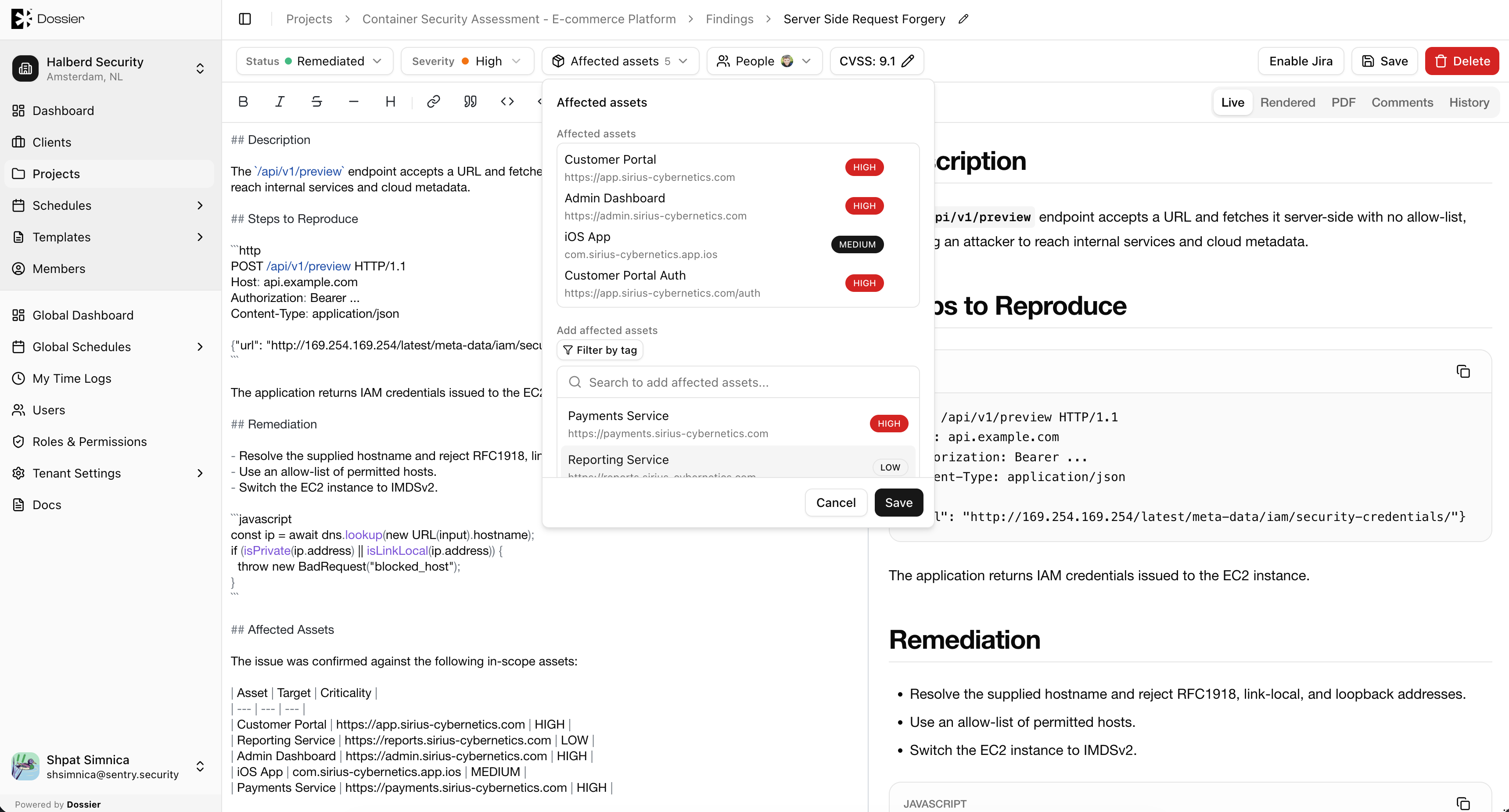
Assets represent the systems, applications, and infrastructure in scope for a project. Assets are organized in a hierarchical tree — a parent asset can have child assets — and can be linked to findings.
Both team members and client accounts can manage assets, though client accounts can only modify assets they created themselves.
Asset Fields
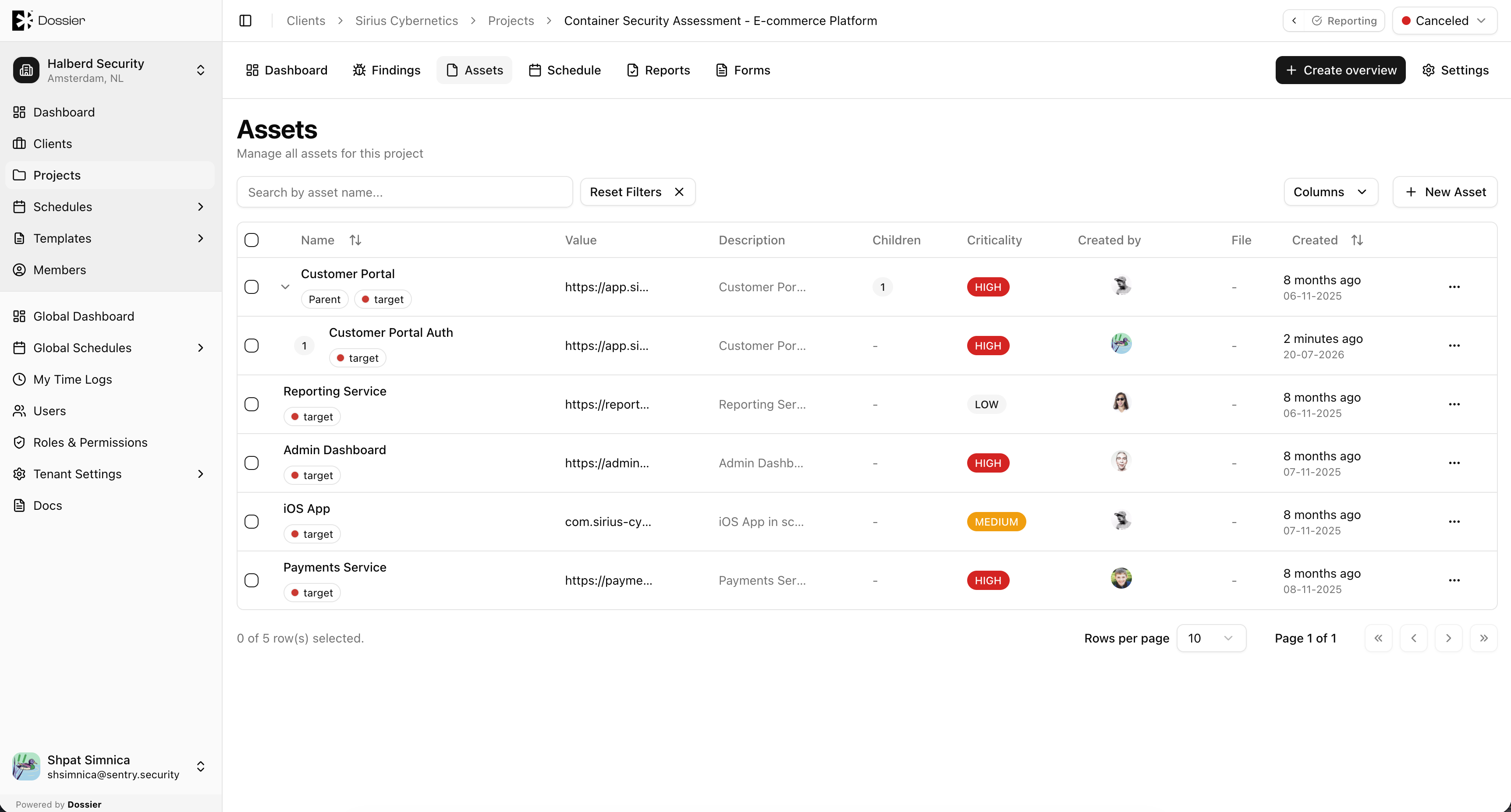
| Field | Description |
|---|---|
| Name | The asset name (for example, "Web Application", "API Server"). |
| Type | The asset type classification. |
| Criticality | High, Medium, or Low. |
| Tags | Optional labels for categorization. |
| Description | Additional details about the asset. |
| File | Optional file attachment. |
Linking Assets to Findings
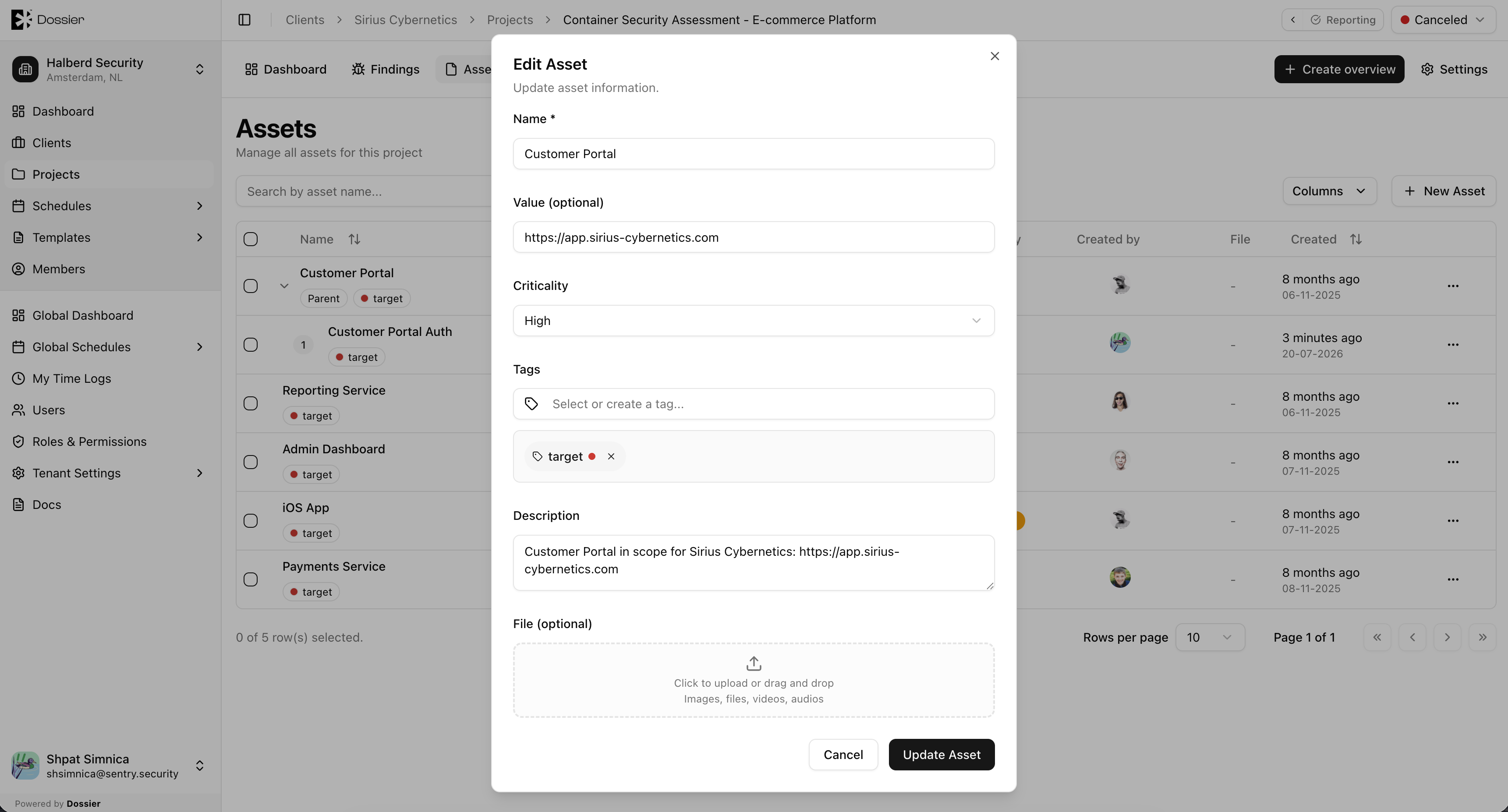
Assets can be linked to findings from the finding detail page. This helps track which systems are affected by each vulnerability and feeds into report generation.