Introduction
Schedules at the organization and global level provide calendar views for planning consultant availability across all projects.
Schedule Views
| View | Route | Scope |
|---|---|---|
| By project (org) | /org/:id/schedules/projects | All project schedules in the organization |
| By user (org) | /org/:id/schedules/users | All consultant schedules in the organization |
| By project (global) | /global/schedules/projects | All project schedules across the tenant |
| By user (global) | /global/schedules/users | All consultant schedules across the tenant |
Access org schedules from the sidebar under the org-scoped Schedules section. Access global schedules from the Global Schedules section.
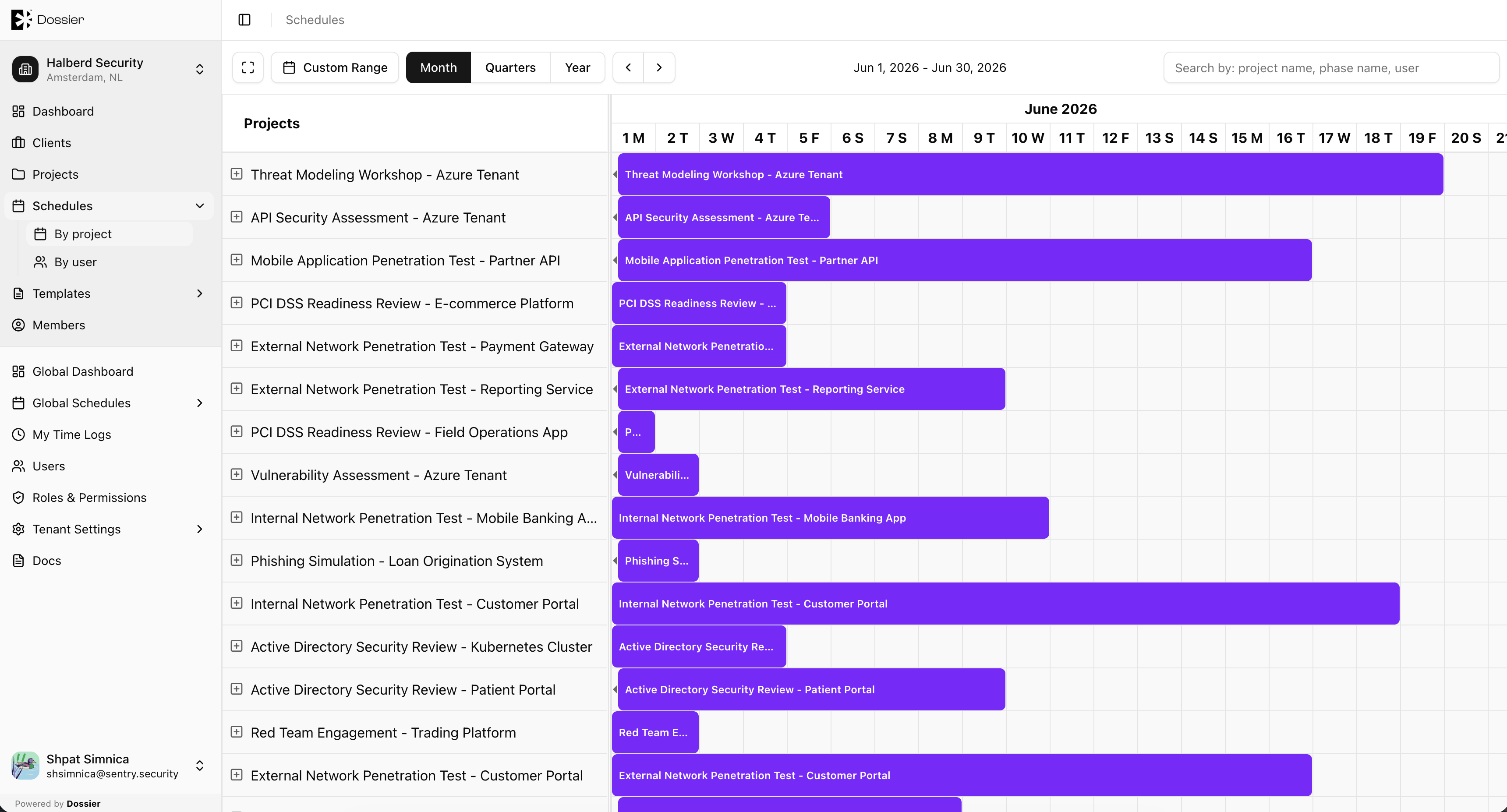
By Project View
Shows all project phases and consultant assignments across every project in the scope. Useful for resource planning and identifying scheduling conflicts.
By User View
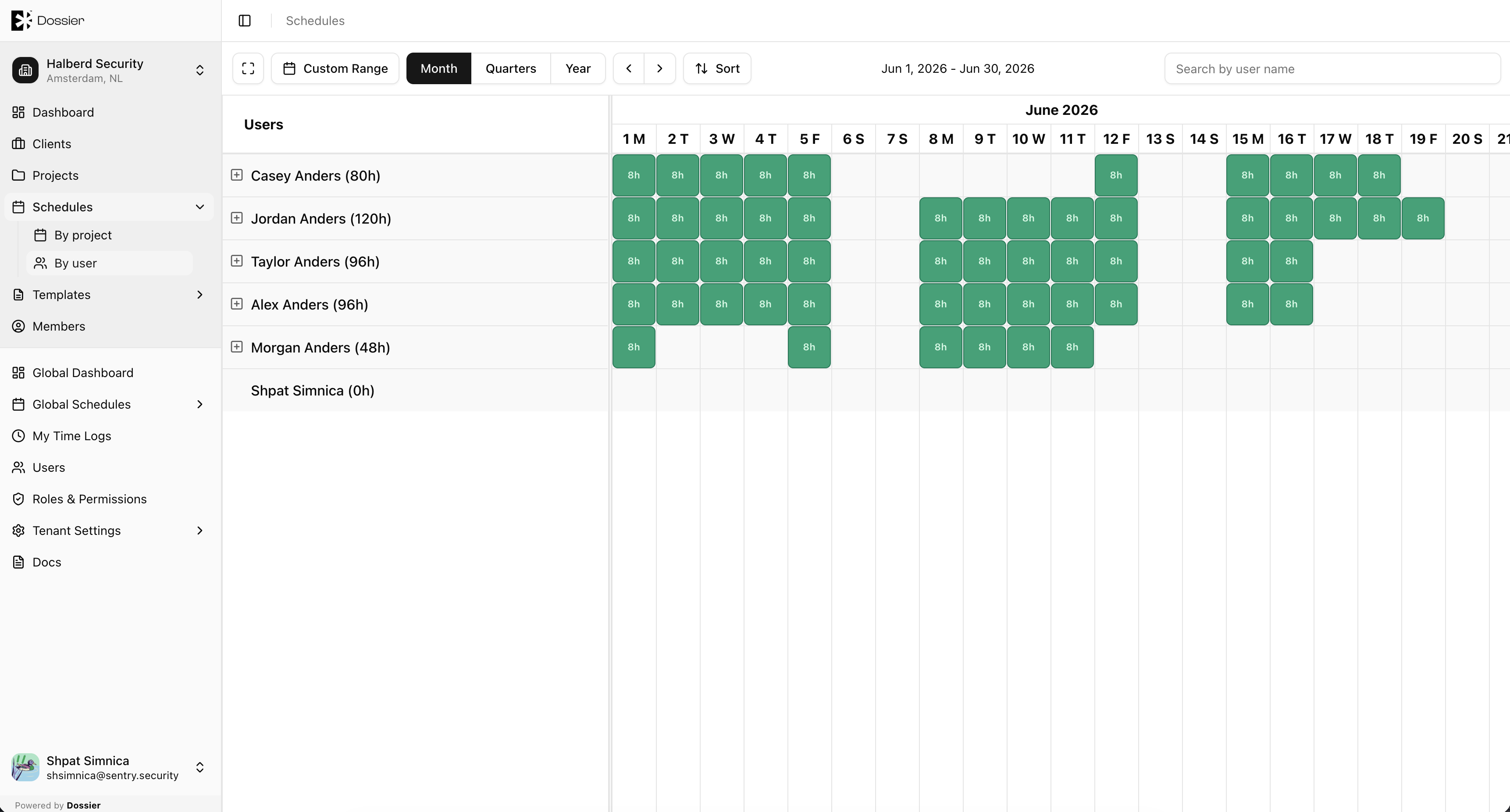
Shows each consultant's calendar with all their assignments across projects. Days are color-coded by availability:
| Color | Meaning |
|---|---|
| Green | Fully booked |
| Yellow | Partially available |
| Red | Overbooked |
Relationship to Project Schedules
Project-level schedules (on the Schedule tab of a project) manage phases and tasks for that specific project. Organization and global schedule views aggregate those assignments for cross-project visibility.
See Manage Schedule for details on creating phases and assigning consultants.