Introduction
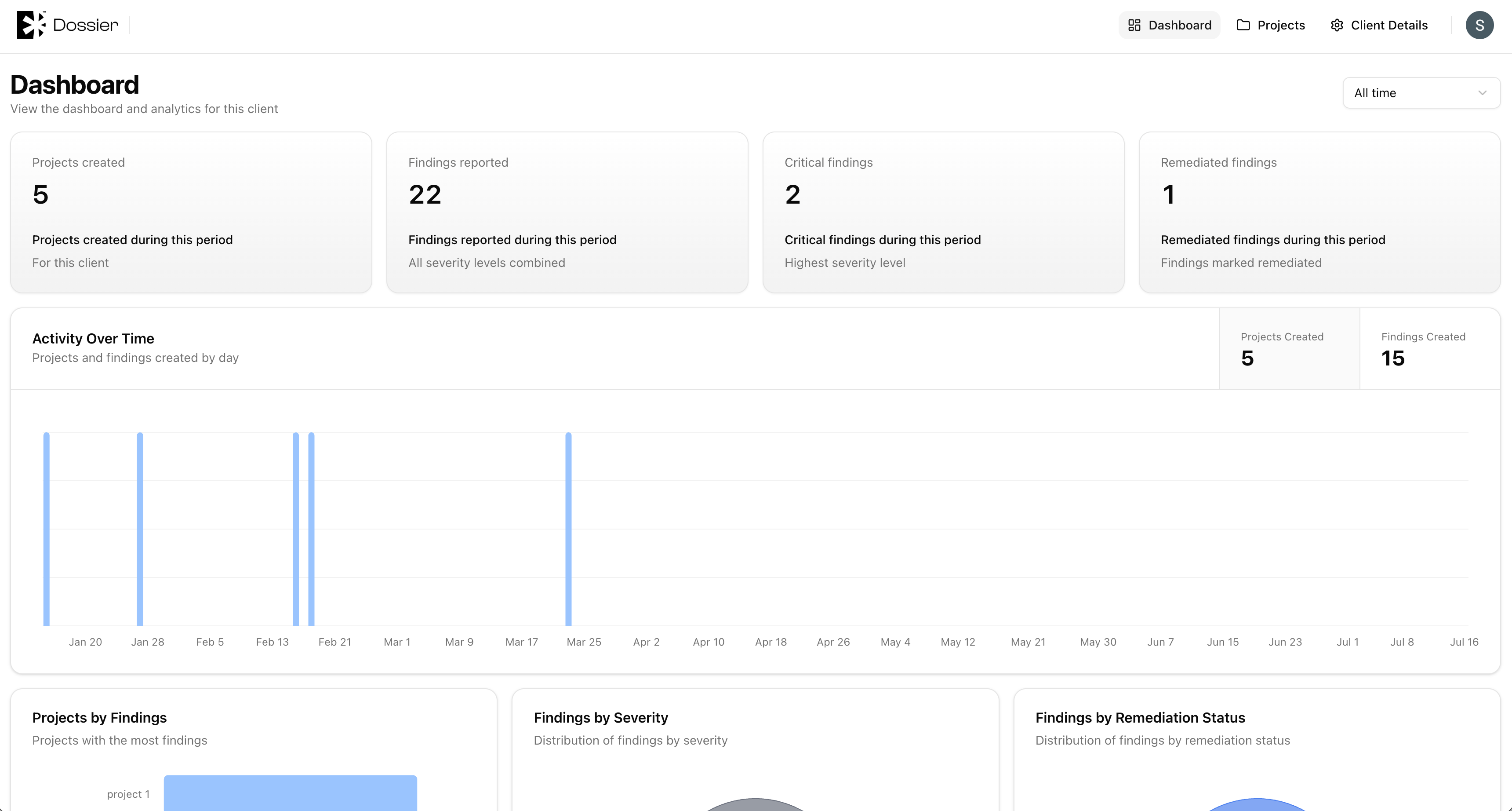
The client portal is a simplified view of Dossier designed for client account users. It provides read access to project progress, findings, and assets, plus the ability to submit forms and manage their own assets.
Client accounts are created or added from a client's Members tab. See Members for setup instructions.
How the Portal Differs from the Team View
| Feature | Team member | Client account |
|---|---|---|
| Navigation | Full sidebar with org switcher | Top bar with 3 tabs |
| Organizations | Can switch between orgs | Scoped to assigned client |
| Project overview | Full editor access | Content appears when the team marks it ready |
| Draft projects/findings | Visible | Hidden |
| Report editor | Accessible | Not accessible |
| Templates | Accessible | Not accessible |
| Users & Roles | Accessible | Not accessible |
| Asset management | Full CRUD | Own assets only |
| Form submission | Internal + public | Internal + public |
What Clients Can See
- Dashboard — Client-scoped analytics (findings by severity, remediation status)
- Projects — Non-draft projects only
- Overview — Project overview content when the team has marked it ready
- Findings — Non-draft findings across their projects
- Assets — All project assets (can create and edit their own)
- Forms — Submit project forms
- Client Details — View client profile information
What Clients Cannot See
- Draft projects and findings
- Project overview content that the team has not marked as ready
- Report editor and generated reports
- Schedules and time logs
- Templates, users, roles, and tenant settings
- Other clients' data
warning
Enable Visible to client on the overview only when it is ready for client review.